claudekit / tools / codeburn
[ Tool · Claude Code Utilities ]

CodeBurn

An interactive TUI dashboard for Claude Code token usage and cost. 13 auto-categorized task types and one-shot success rate tracking.

AgentSeal/codeburn ·updated
$ npx codeburn copy

What it does

CodeBurn is an interactive TUI dashboard for Claude Code usage. Instead of reading a plain text table, you get gradient charts, keyboard navigation, and an at-a-glance view of where your tokens are going — plus automatic categorization of tasks into 13 buckets and a one-shot success rate metric.
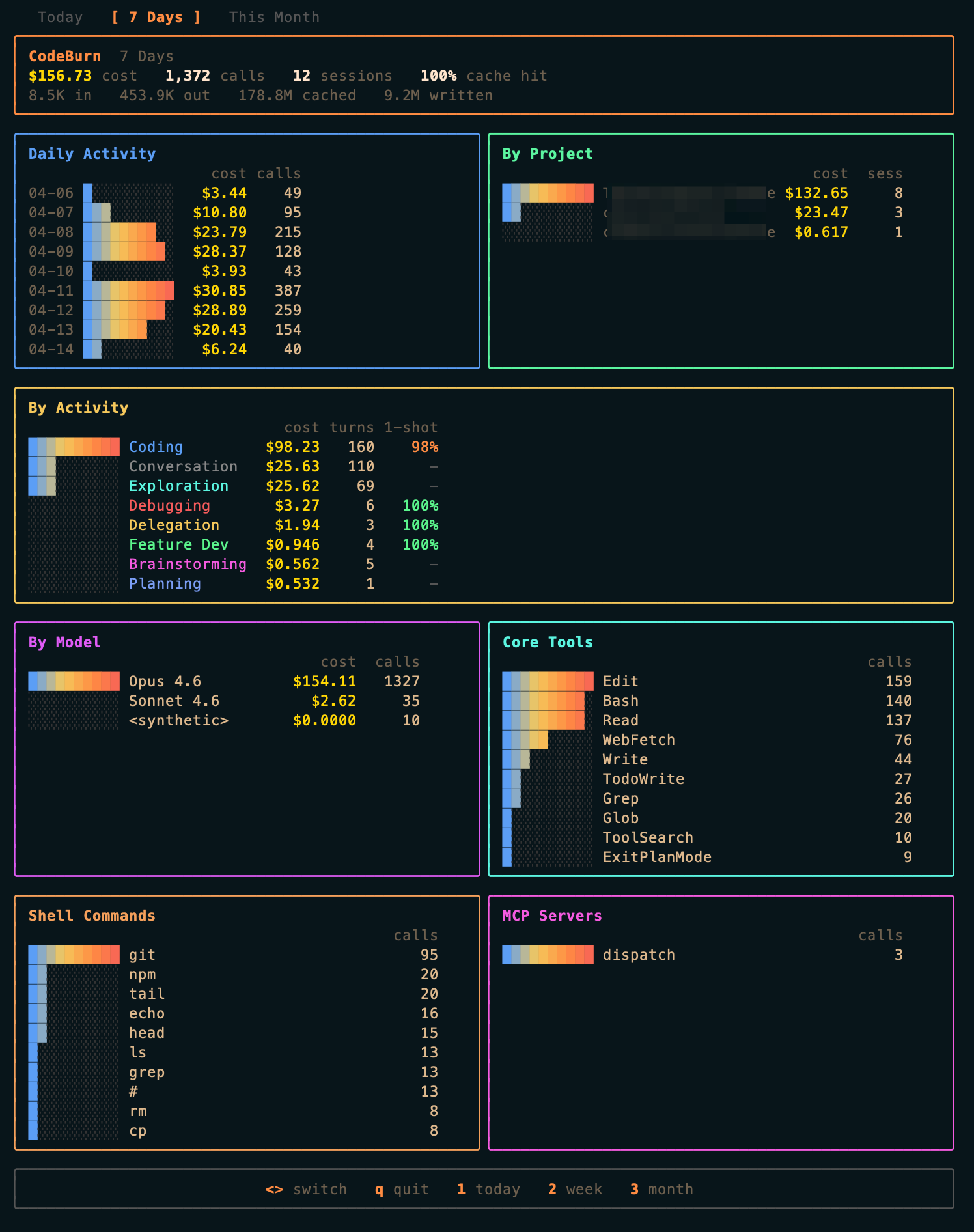
CodeBurn dashboard

Features

  • Interactive dashboard — gradient charts + keyboard navigation for visual exploration
  • 13 task categories — coding, debugging, testing, refactoring, brainstorming, and more — auto-classified
  • One-shot success rate — detects edit → test → edit cycles to measure AI accuracy
  • Multi-model support — unified tracking across Claude (Opus/Sonnet/Haiku), GPT-4o, Gemini
  • macOS menu-bar widget — SwiftBar plugin for menu-bar token monitoring
  • Data export — CSV and JSON reports

Usage

codeburn           # interactive dashboard (default: 7 days)
codeburn today     # today's usage
codeburn month     # this month's usage
codeburn status    # one-line summary
codeburn export    # generate a report

Notes

  • No API key — reads local JSONL session files from ~/.claude/projects/ directly.
  • Deterministic classification — task categorization runs without LLM calls, so no extra cost.
  • Requires Node.js 20 or later.
  • Overlaps with ccusage but focuses on interactive visualization and task classification.
  • MIT licensed.
§ 5

See also

same category · curated
[01]
[Tool] Herdr · A terminal-native agent multiplexer in a single Rust binary. Herdr combines tmux-style session persistence and pane splits with agent awareness — a sidebar that shows whether each pane's agent is idle, working, blocked, or done — for Claude Code and other CLI agents. The direct Claude Code integration (`herdr integration install claude`) adds full state detection, semantic state forwarding over a local socket API, and agent-session restoration after a server restart.
tool · claudekit.io / tools / herdr
[02]
[Tool] CC Workflow Studio · Design workflows on a canvas in VS Code and export them as Markdown your AI agent already understands — skills, commands, and agents for Claude Code, Cursor, Copilot, and more. An MCP server runs in the background so you can refine workflows in natural language with 'Edit with AI'.
tool · claudekit.io / tools / cc-wf-studio
[03]
[Skill] Find Skills · A meta-skill that activates when users ask "how do I do X" or "is there a skill that can…", then searches the open agent skills ecosystem and walks the user through installation.
tool · claudekit.io / tools / find-skills
§ 6

Frequently Asked Questions

frequently asked
§ 6.1
What is CodeBurn?
An interactive TUI dashboard for Claude Code token usage and cost. It uses gradient charts and keyboard navigation, automatically classifies work into 13 task categories, and tracks one-shot success rate.
§ 6.2
Where does it run?
Wherever you use Claude Code. Requires Node.js 20+.
§ 6.3
How do I install it?
Run `npx codeburn` (no install) or `npm install -g codeburn` for a global install.
§ 6.4
Does it need an API key?
No. It reads local JSONL session files from `~/.claude/projects/` directly. Task classification is deterministic — no extra LLM calls and no extra cost.
§ 6.5
How is it different from ccusage?
ccusage focuses on tabular usage and cost analytics. CodeBurn focuses on interactive visualization, 13-category task auto-classification, and one-shot success rate measurement.
§ 6.6
What's the license?
MIT licensed.